Package: gtk
Class gtk:drop-down
Superclassesgtk:widget, gobject:initially-unowned, gtk:accessible, gtk:buildable, gtk:constraint-target, gobject:object, common-lisp:standard-object, common-lisp:t Documented Subclasses
None
Direct SlotsDetails The gtk:drop-down widget is a widget that allows the user to choose
an item from a list of options. The gtk:drop-down widget displays the selected choice. 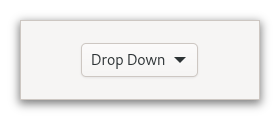 Figure: GtkDropDown The options are given to the gtk:drop-down widget in the form of a g:list-model object, and how the individual options are represented is determined by a gtk:list-item-factory object. The default factory displays simple strings, and adds a checkmark to the selected item in the popup. To set your own factory, use the gtk:drop-down-factory function. It is possible to use a separate factory for the items in the popup, with the gtk:drop-down-list-factory function. The gtk:drop-down widget knows how to obtain strings from the items in a gtk:string-list object. For other models, you have to provide an expression to find the strings via the gtk:drop-down-expression function. The gtk:drop-down widget can optionally allow search in the popup, which is useful if the list of options is long. To enable the search entry, use the gtk:drop-down-enable-search function. To learn more about the list widget framework, see the List Widget overview. Examples
<object class="GtkDropDown">
  <property name="model">
    <object class="GtkStringList">
      <items>
        <item translatable="yes">Factory</item>
        <item translatable="yes">Home</item>
        <item translatable="yes">Subway</item>
      </items>
    </object>
  </property>
</object>
If a gtk:drop-down widget is created in this manner, or with the gtk:drop-down-new-from-strings function, for instance, the object returned from the gtk:drop-down-selected-item function will be a gtk:string-object object. CSS nodesAccessibilitySignalsThe "activate" signallambda (dropdown) :action
| Returned bySlot Access FunctionsInherited Slot Access FunctionsSee also |
2026-04-12